
2026-07-06
PD 3.1 Explained: What the New USB Power Delivery Standard Means for You
USB PD 3.1 raises the maximum charging power from 100W to 240W. Here is what PD 3.1 means for laptops, chargers, and the future of USB-C.
USB-C charging has changed significantly over the last few years. USB Power Delivery (USB PD) made it possible for one USB-C charger to power phones, tablets, laptops, monitors, and other devices. With USB PD 3.1, the available power range expanded far beyond the traditional 100W limit.
So what exactly is USB PD 3.1, and do you actually need a PD 3.1 charger?
The short answer is: PD 3.1 matters most when you need more than 100W of USB-C power. It is particularly relevant to high-performance laptops, workstations, gaming devices, and other high-power USB-C equipment.
Key Takeaways
USB PD is the power negotiation system used by compatible USB-C devices.
Traditional USB PD power levels reached up to 100W using the Standard Power Range (SPR).
USB PD 3.1 introduced Extended Power Range (EPR), enabling USB-C power up to 240W.
PD 3.1 added higher voltage levels including 28V, 36V, and 48V.
A PD 3.1 charger can still charge lower-power USB-C devices.
A compatible charger, device, and cable are all important for high-power charging.
Not every USB-C device requires PD 3.1.
In 2026, USB PD has evolved further to Revision 3.2, but PD 3.1 remains an important term for EPR-capable chargers.
What Is USB Power Delivery?
USB Power Delivery, commonly called USB PD, is a charging protocol that allows a USB-C charger and device to negotiate how much power should be delivered.
Instead of simply sending a fixed amount of power, the charger and device communicate and determine an appropriate power level.
For example, a 100W USB-C PD charger does not automatically force 100W into every connected device.
A phone may request much less power, while a laptop may request considerably more.
This negotiation is one of the reasons a high-power USB-C charger can be used with many different devices.
According to the USB Implementers Forum (USB-IF), USB Power Delivery is designed to provide flexible power delivery across the USB ecosystem.
What Changed With USB PD 3.1?
Before PD 3.1, USB Power Delivery was generally associated with a maximum of 100W using 20V and 5A.
USB PD 3.1 introduced Extended Power Range, or EPR.
EPR expanded the available power levels with higher voltage options:
| PD Mode | Maximum Power | Typical Use |
|---|---|---|
| SPR | Up to 100W | Phones, tablets, ultrabooks, laptops |
| EPR | Up to 140W | High-performance laptops |
| EPR | Up to 180W | Higher-power USB-C equipment |
| EPR | Up to 240W | Very high-power USB-C applications |
USB-IF specifies additional fixed voltage levels of 28V, 36V and 48V for EPR, allowing USB-C Power Delivery to reach 140W, 180W and 240W respectively.
Why Does 240W Matter?
For many years, 100W was enough for most USB-C laptops.
But laptops have become more powerful.
High-performance processors, larger displays, dedicated graphics, and demanding workloads can require significantly more power.
PD 3.1 allows USB-C to move into applications where 100W was previously insufficient.
This is particularly useful for:
High-performance laptops
Gaming laptops with USB-C charging
Professional mobile workstations
High-power monitors
Docking stations
Large USB-C displays
Other high-power USB-C equipment
However, a 240W capability does not mean every device will charge at 240W.
The device must support the required PD power profile, and the charger and cable must also support the necessary power level.
PD 3.0 vs PD 3.1
The simplest way to understand the difference is power range.
| Feature | USB PD 3.0 | USB PD 3.1 |
|---|---|---|
| Standard Power Range | Yes | Yes |
| Extended Power Range | No | Yes |
| Traditional maximum | Up to 100W | Up to 100W in SPR |
| EPR maximum | — | Up to 240W |
| Higher voltage levels | — | 28V / 36V / 48V |
| Typical applications | Phones, tablets, laptops | High-power laptops and equipment |
The important point is that PD 3.1 does not replace the lower-power USB PD ecosystem.
It extends it.
Do You Need a PD 3.1 Charger?
You may want a PD 3.1 charger if your device requires more than 100W through USB-C.
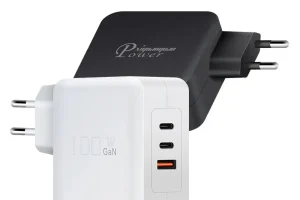
For example, Powgent’s 140W PD 3.1 GaN chargers are designed for high-power USB-C applications and support PD 3.1 charging profiles.
If your laptop only requires 45W, 65W, or 100W, a conventional USB PD charger may already provide everything you need.
Choose PD 3.1 when:
Your laptop requires more than 100W.
You want a 140W USB-C charger.
You use a high-performance laptop.
You need additional power headroom.
You are designing a next-generation USB-C charging product.
PD 3.1 may not be necessary when:
You mainly charge smartphones.
You use a tablet.
Your laptop requires 45W or 65W.
Your existing 100W PD charger already meets your requirements.
What About the USB-C Cable?
The charger is only one part of the system.
For higher-power USB PD charging, the cable also matters.
USB-IF introduced cable power-rating logos to help identify certified USB-C cables capable of supporting specified power levels, including 60W and 240W.
For applications above 100W, make sure the cable is appropriate for the required EPR power level.
A high-power charger paired with an unsuitable cable may not deliver the expected charging performance.
Is PD 3.1 the Latest USB PD Standard?
There is an important terminology point here.
PD 3.1 was the major revision that introduced Extended Power Range and enabled USB-C charging up to 240W.
However, USB Power Delivery has continued to evolve. USB-IF’s current document library lists USB PD Revision 3.2, and IEC 62680-1-2:2026 incorporates USB PD Revision 3.2 with power delivery up to 100W in SPR mode and 240W in EPR mode.
Therefore, when researching a charger in 2026, don’t look only at the “PD 3.1” label.
Also check:
Maximum output wattage
Supported voltage profiles
EPR support
PPS support if required
Port configuration
Cable requirements
Device compatibility
Why GaN and PD 3.1 Work Well Together
PD determines how power is negotiated.
GaN determines important aspects of the charger’s power-conversion hardware.
These are different technologies.
A charger can support USB PD without using GaN, and a GaN charger can support different charging protocols.
Combining GaN technology with high-power USB PD allows manufacturers to create compact chargers with high power density.
Powgent’s product range includes 140W PD 3.1 GaN chargers with multi-port configurations for laptops and multiple USB devices.
Final Thoughts
USB PD 3.1 represents an important step in the development of USB-C charging.
Its biggest advantage is not that every USB-C device suddenly needs 240W. Instead, it expands USB-C into higher-power applications that previously required larger proprietary power adapters.
For consumers, the most important question is simple:
Does your device actually need more than 100W?
If yes, PD 3.1/EPR becomes highly relevant.
If not, a well-designed 45W, 65W, or 100W USB PD charger may already be sufficient.
For brands and distributors, however, PD 3.1 creates another opportunity: compact high-power GaN chargers for modern laptops, professional electronics, and high-performance USB-C products.
FAQ
Is USB PD 3.1 the same as USB-C?
No.
USB-C describes the connector and cable system. USB Power Delivery is a power-management protocol that operates over USB-C.
Can a PD 3.1 charger charge a normal USB-C device?
Generally, compatible PD chargers can negotiate lower power with compatible devices. The device determines the power it requests.
Can USB PD 3.1 deliver 140W?
Yes. USB PD 3.1 introduced Extended Power Range, which enables power delivery up to 140W with the appropriate charger, device, and cable.
Do I need a 140W charger for a 65W laptop?
No. A 65W-compatible laptop normally does not require a 140W charger.
Is GaN required for PD 3.1?
No. GaN and USB PD are different technologies. However, GaN is well suited to compact, high-power charger designs.
What is the difference between PD 3.0 and PD 3.1?
PD 3.1 introduced Extended Power Range and higher voltage levels, expanding USB-C Power Delivery beyond the traditional 100W range.
Related Products
Related Articles
Have Questions About Chargers?
Our engineering team is ready to help. Send us your inquiry — we respond within 24 hours.
Response within 24 hours
Need OEM or Private Label?
Get Your Quote Within 24 Hours. From logo printing to full custom design — we are your GaN charger manufacturing partner.