
2026-07-06
Common Charging Problems and How to Fix Them
Phone charging slowly? Laptop not charging? Charger getting hot? Here are the most common charging problems and their solutions.
Slow Charging
**Causes:**
- Charger wattage too low for the device
- Cable not rated for fast charging (3A vs 5A)
- Charger lacks the required protocol (PD, PPS)
- Device is in use while charging
- Background apps consuming power
**Solutions:**
- Use a charger with sufficient wattage for your device
- Use a cable rated for your charger’s output (5A for 100W+)
- Ensure the charger supports PD/PPS for your device
- Let the device charge without heavy use
Not Charging
**Causes:**
- Faulty cable or connector
- Debris in the charging port
- Charger not compatible with device protocol
- Device battery issue
**Solutions:**
- Try a different cable
- Clean the charging port with a soft brush
- Verify the charger supports your device’s charging protocol
- Test with another charger to isolate the issue
Overheating
**Causes:**
- Silicon charger under sustained load
- Poor ventilation around the charger
- Charger placed on soft surfaces (bed, couch)
- Charger is underpowered for the device
**Solutions:**
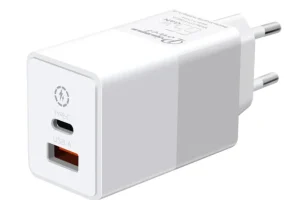
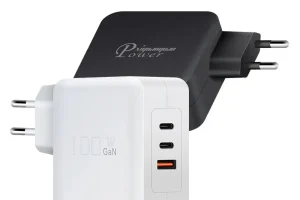
- Use a GaN charger (runs cooler)
- Place charger on hard surfaces with ventilation
- Use a charger with adequate wattage
- Avoid covering the charger during use
Intermittent Charging
**Causes:**
- Loose cable connection
- Worn charging port
- Faulty charger cable
- Power management software issues
**Solutions:**
- Replace the cable
- Have the charging port inspected
- Try a different charger
- Update device firmware/drivers
Most charging problems are caused by the charger, cable, or port — not the device itself. Start by testing with a known-good charger and cable.
FAQ
Why does my charger get hot?
Some heat is normal during charging. Silicon chargers run hotter than GaN chargers. If a charger is too hot to touch, it may be underpowered or faulty — replace it with a quality GaN charger.
Can a bad cable cause slow charging?
Yes. A cable not rated for your charger’s output will limit charging speed. For 100W+ charging, you need a 5A-rated cable. Standard 3A cables limit output to 60W.
Is it safe to use a charger while it is hot?
Mild warmth is normal. If the charger is uncomfortably hot, unplug it and let it cool. Persistent overheating indicates a problem — replace the charger.
Related Products
Related Articles
Response within 24 hours
Need OEM or Private Label?
Get Your Quote Within 24 Hours. From logo printing to full custom design — we are your GaN charger manufacturing partner.